 Cheevotron
Achievements for the consoles you actually own.
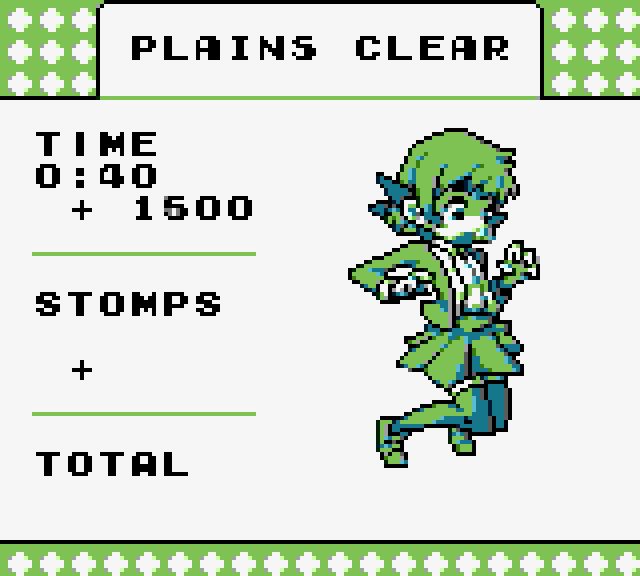
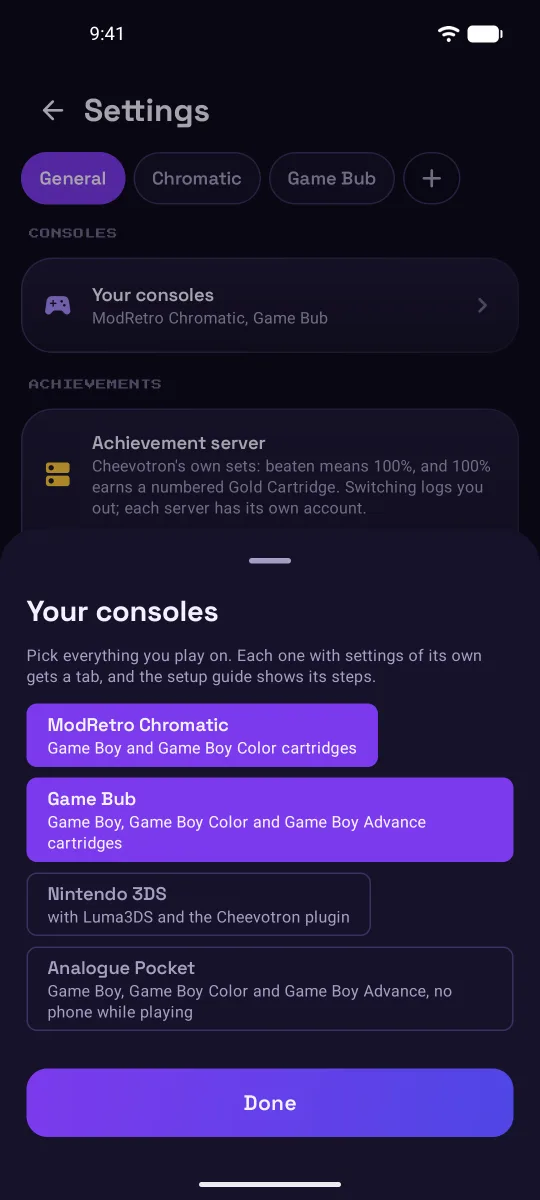
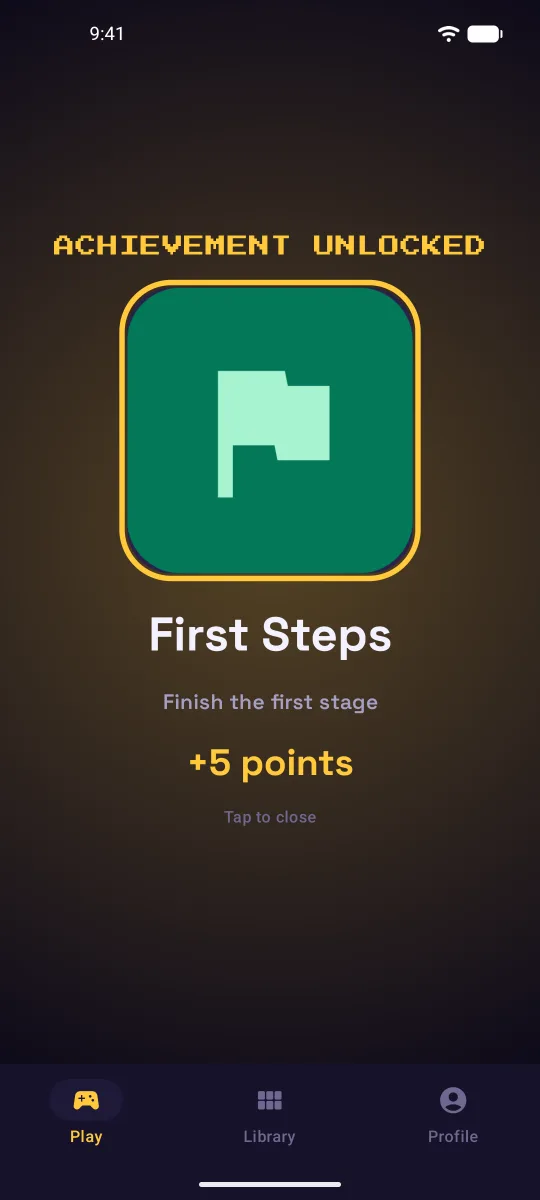
Play your own cartridges on the real console and earn achievements as you go. They pop up right on the console's screen and all land in one profile.
One email at launch, one per release. No spam.

Pick your console
Start with the console you have.
The Game Boy family on three handhelds, the New Nintendo 3DS, the Super Nintendo, the NES on the RetroUSB AVS and the DS on a DSi.
ModRetro ChromaticGame Boy & Game Boy Color
Original cartridges over Bluetooth, phone in your pocket, on Android or iPhone. Unlocks pop up on the Chromatic's screen with a chime.
Achievements on the Chromatic → SupportedAnalogue PocketGame Boy, Game Boy Color & Game Boy Advance
Play anywhere, no phone needed. The Pocket keeps your unlocks and sends them to your profile through the phone once you connect it.
Achievements on the Pocket →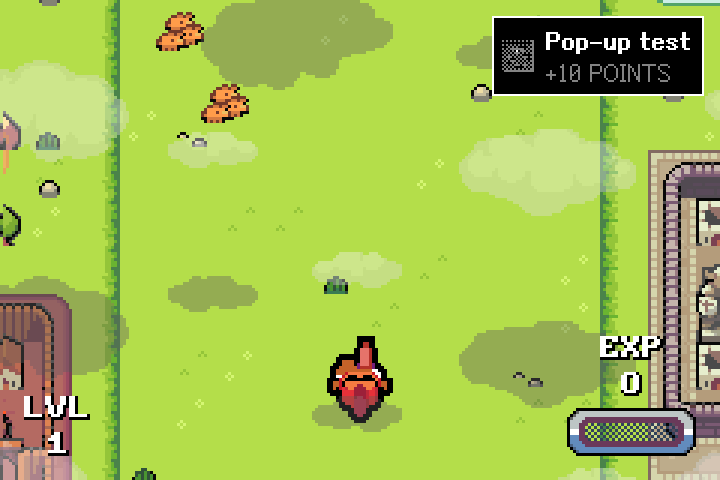
Game BubGBA, Game Boy & Game Boy Color
Original Game Boy Advance cartridges, finally. Over Bluetooth, on Android or iPhone, with unlocks and a chime on the Game Bub's own screen.
Achievements on the Game Bub → SupportedNintendo 3DSNew 3DS and New 3DS XL
The 3DS checks its achievements itself, shows each unlock on its top screen and sends them over Wi-Fi, no app needed. Its list of games starts small and grows with every update.
Achievements on the 3DS → SupportedSuper NintendoFXPak Pro or SD2SNES
Nothing to install on the console: plug the cart into an Android phone with a USB cable. Unlocks arrive on the phone with a sound.
Achievements on the Super Nintendo → SupportedNES on the RetroUSB AVSOriginal NES cartridges
Cheevotron's firmware shows every unlock on your TV with a chime, in 720p over HDMI. Connects to an Android phone with a USB cable.
Achievements on the AVS → SupportedNintendo DS on a DSiOriginal DS cartridges
Real DS cartridges at the console's own speed. The DSi talks to your Android phone over Wi-Fi, and unlocks pop up on its screen.
Achievements on the DSi →Games
Sets for the games you own.
327 games and 9,317 achievements for the Game Boy, Game Boy Color, Game Boy Advance, Nintendo DS, Nintendo 3DS, NES and Super Nintendo.
Every achievement is made for real hardware: no fast-forward, no save states, no arbitrary, needlessly hard tasks. Each set covers the whole game, in every language its cartridges came out in.


Recently addedNew games are added regularly.


How it works
Connect, play, unlock.
Connect
Set up your console once: the app puts Cheevotron on it or on its SD card. Then it connects to your phone, or plays on its own and sends its unlocks later.
An Android phone does all of it. With only an iPhone, a computer's browser helps once, for the firmware on the Chromatic and the Game Bub. Getting started
Play
Play your own cartridges on the real console, at its own speed. Cheevotron follows the game while you play and never changes it.
Unlock
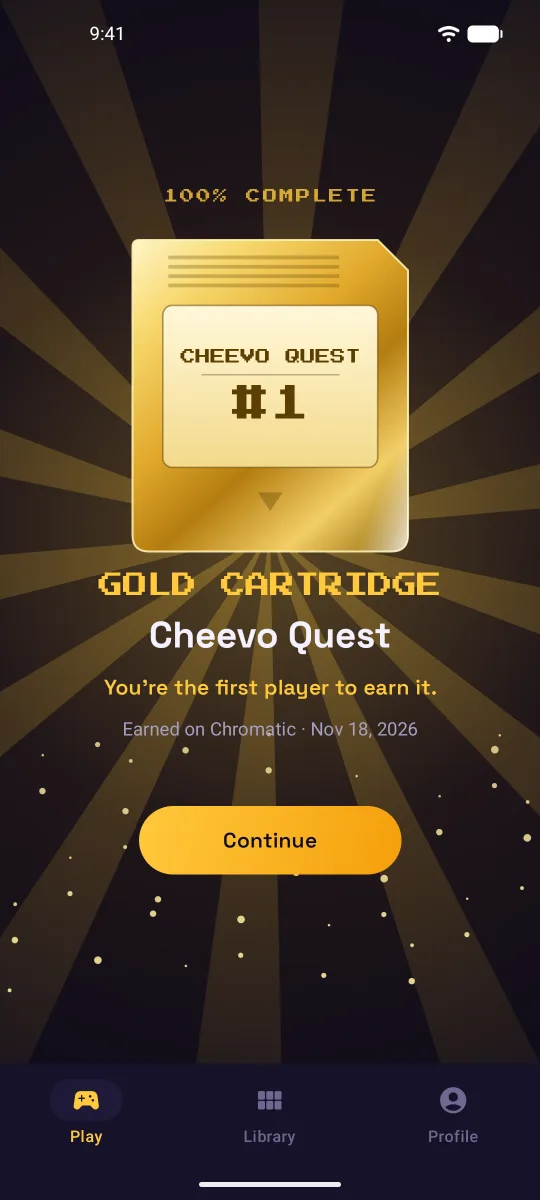
Achievements pop up on the console and land on your profile. Finish a game to 100% and you earn its numbered Gold Cartridge.
The full experience
Everything you love about achievement hunting, on your phone.
On Android and iPhone, your phone becomes the second screen: every achievement, your progress and your Gold Cartridges, with sounds and notifications that reach you even when the screen is off.
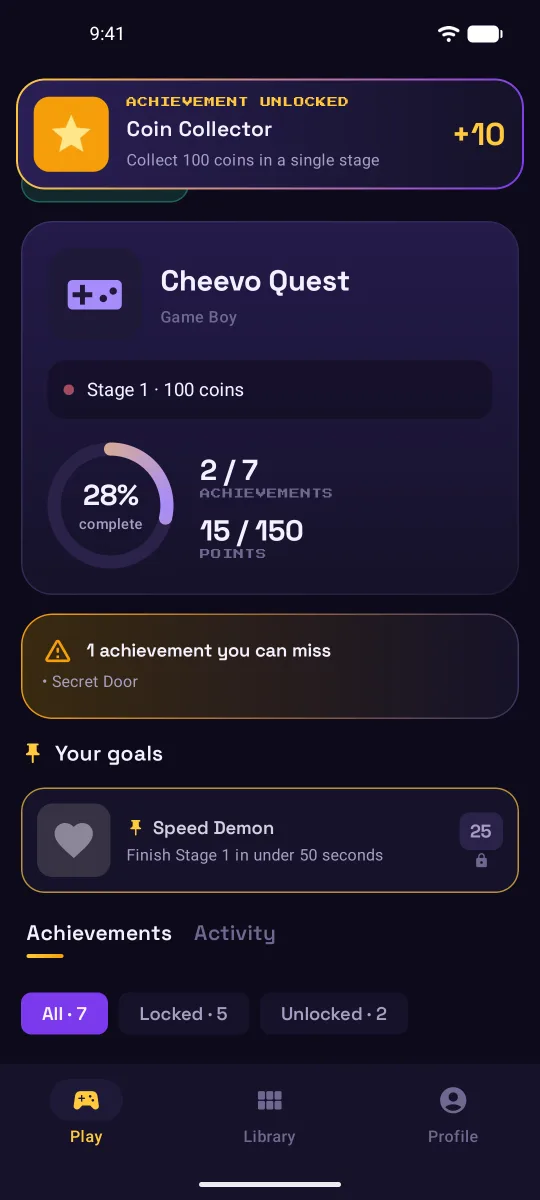
Missable markers and goals
See the achievements you could miss before you start, and pin the ones you're going for.
Works with the screen off
A notification for every unlock, so the phone can lie face down next to the TV. On the iPhone, the running game also sits on the Lock Screen and in the Dynamic Island.
Points, levels and rarity
Bronze, silver and gold achievements raise your level, and each one shows how many players have it.
Challenges for more
Optional Nuzlocke, Random Team and Speedrun modes for the games that suit them, checked live while you play, with achievements of their own.
Share cards
Turn an unlock into a good-looking card for your friends and your community.
Your account stays safe
No password to steal: you sign in with a code we email you or with Apple, and the app keeps its login token in the phone's secure key store.
Firmware
Firmware in a few minutes. Backup first.
The Chromatic and the Game Bub run Cheevotron's firmware. Install it from the Android app over a USB cable, or from a computer with Chrome or Edge on the setup page. The app tells you when an update is ready.
- Your original firmware, saved
Before the first write, the installer saves the console's original firmware.
- Every write checked
The installer reads back what it wrote and compares it before it moves on.
- Back to stock any time
One step restores the original, even if a write was interrupted and the console doesn't start.
Installing Cheevotron 0.5.0
Keep the Chromatic on and connected and this screen open.
- Backing up the original firmware
- Writing the FPGA
- Checking every byte of the FPGA
- Writing the ESP32 firmware…
- Checking the ESP32 firmware
Compatibility
What each console needs.
One account for every console: your unlocks and Gold Cartridges all land on the same profile. The full list has the details.
| Console | What you need | Connection | Status |
|---|---|---|---|
| Game Boy & Game Boy Color | ModRetro Chromatic with Cheevotron firmware, original cartridges | Bluetooth, Android or iPhone | Supported |
| Game Boy Advance, Game Boy & Game Boy Color | Game Bub with Cheevotron firmware, original cartridges | Bluetooth, Android or iPhone | Supported |
| Game Boy, Game Boy Color & Game Boy Advance | Analogue Pocket, original cartridges | Plays offline, syncs through your phone or computer | Supported |
| Nintendo 3DS | New 3DS or New 3DS XL with Luma3DS and Cheevotron's plugin, cartridges or games bought on the Nintendo eShop | On its own, over Wi-Fi | Supported |
| Super Nintendo | FXPak Pro or SD2SNES, no firmware needed | USB cable, Android | Supported |
| NES | RetroUSB AVS with Cheevotron firmware, original cartridges | USB cable, Android | Supported |
| Nintendo DS | DSi with the Cheevotron launcher, original cartridges | Wi-Fi, Android | Supported |
| Nintendo 64 | ModRetro M64 | To be decided | Later |
| GameCube | Wii with Cheevotron's build of Nintendont | Wi-Fi | Later |
| Wii | Wii or Wii U with Cheevotron's homebrew | Wi-Fi | Later |
FAQ
Questions people ask first.
Why a platform of its own?
What does it cost?
What's a Gold Cartridge?
Does it work on iPhone?
Do I need a computer?
Get Cheevotron
Your cartridges have achievements waiting.
Leave your email and we'll tell you the day Cheevotron is out.
One email at launch, one per release. No spam.
The apps
For Android 9 or newer and for iPhone with iOS 26.1 or newer. The Chromatic and the Game Bub connect over Bluetooth; the 3DS needs no app.
The console firmware
The Android app installs everything: the firmware on the Chromatic, the Game Bub and the AVS over a USB cable, the 3DS plugin over Wi-Fi. With only an iPhone, the Chromatic's and the Game Bub's firmware goes on once from a computer's browser.
About the firmwareConnectors
The first 10 achievements on each console let you try it on your own hardware first. Then one connector per console, €14.99, paid once and yours on every platform. Or every connector at once, including future ones, with the Founder package.
See the pricesCommunity
A Discord for players, questions and hardware ideas.